
CS2 · iPhone · Lock Screen
Counter-Strike Live Activities for iOS.
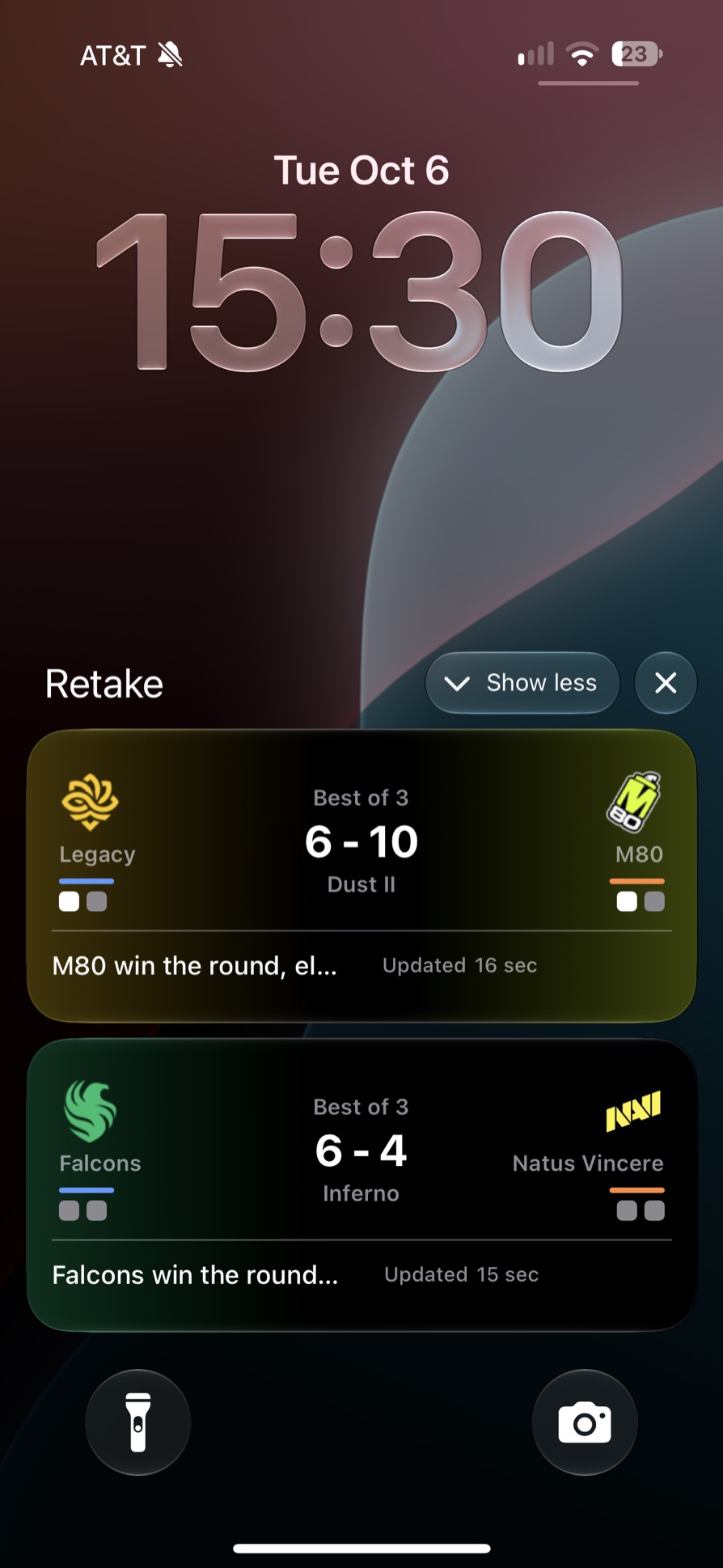
Retake puts the live CS2 score on your iPhone Lock Screen and in the Dynamic Island. Series score, map and current round — updated as they happen, without opening the app.
What you see
One glance. Whole round.
A Live Activity is Apple's persistent, glanceable widget for something happening right now. Retake uses it for Counter-Strike, so the match follows you out of the app and onto the Lock Screen.
Series score
Maps won, best-of format and who is ahead — the series state stays visible for the whole match.
Map and round
The current map and round score update in place, so you can tell a 3-1 start from a 12-10 finish at a glance.
Every live match
Start more than one match and each gets its own Live Activity, with its own score and its own updates.
Dynamic Island
Score while you scroll.
On iPhone 14 Pro and later, the same Live Activity shrinks into the Dynamic Island. The round score stays on screen while you use other apps, then expands back to the full card when you want detail.
- Compact view: teams and map score in the pill at the top of the screen.
- Expanded view: round score, map and match context in one tap.
- Lock Screen: the full activity, even with the phone locked.
Setup
How to get CS2 Live Activities on iPhone.
No account, no jailbreak and no extra profile. Once Retake is installed, a live match becomes a Live Activity in a couple of taps.
Install Retake
Download Retake free from the App Store on an iPhone running iOS 16.1 or later.
Allow Live Activities
Open Settings → Retake → Live
Activities and make sure the toggle is
on. iOS enables it the first time you start a
match, but you can change it later.
Start a match
Open any live CS2 match and start its Live Activity. Or follow a team and Retake will start one automatically when that team plays.
Lock your phone
That's it. The activity stays on the Lock Screen and in the Dynamic Island until the series ends, then it clears itself.
Coverage
Majors to minors.
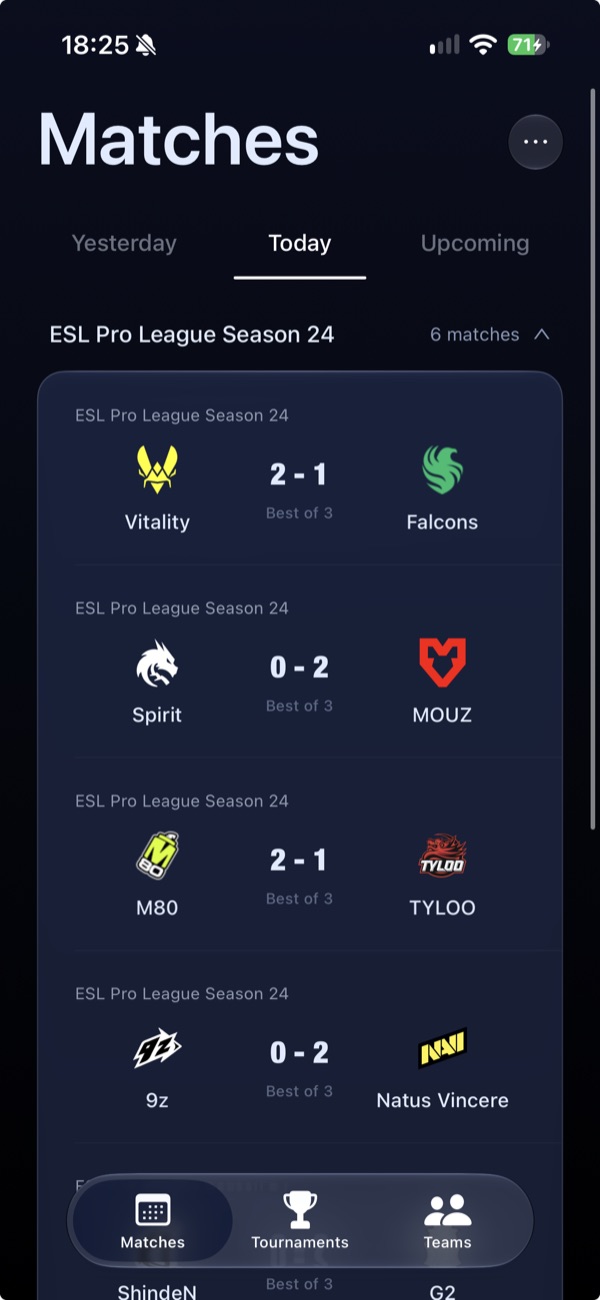
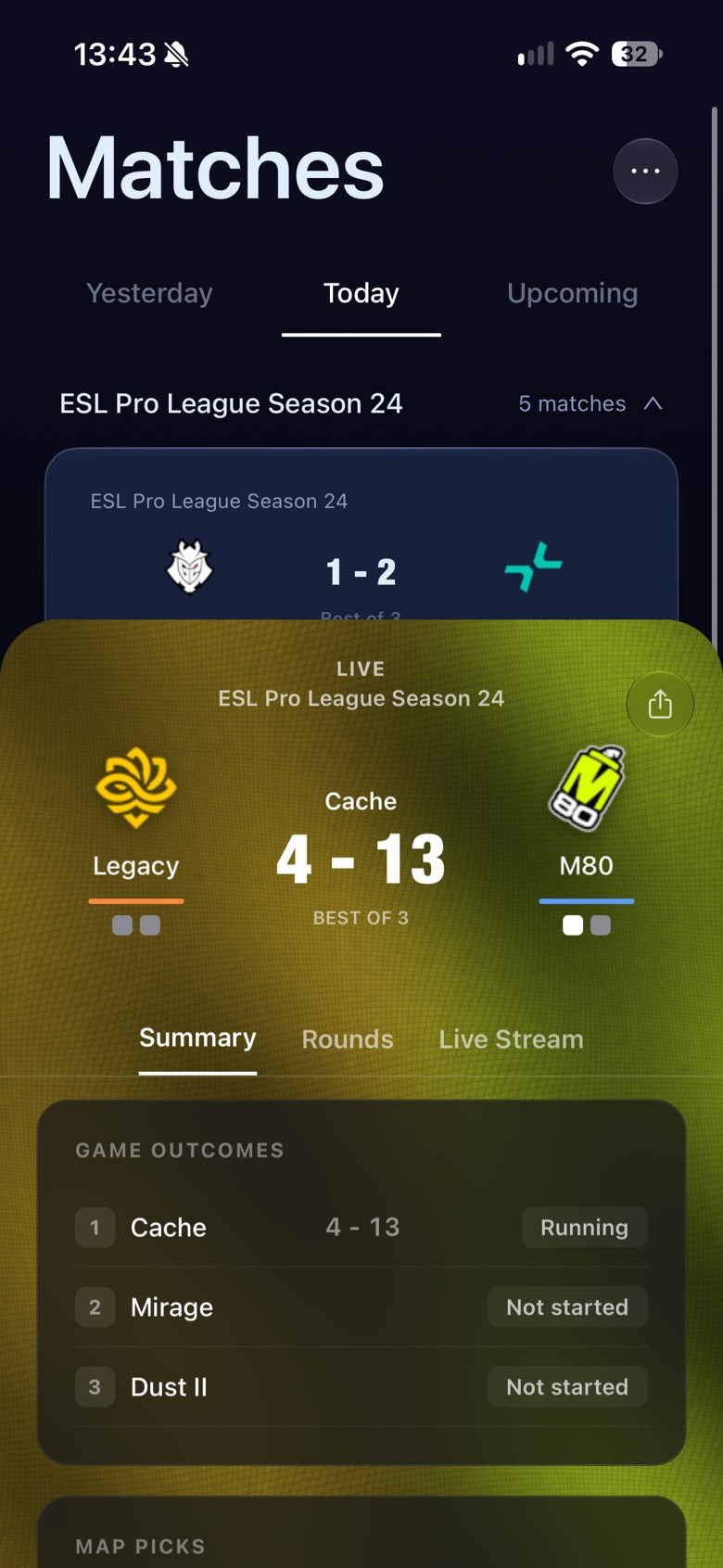
Retake covers the Counter-Strike calendar that matters: Majors and RMR qualifiers, ESL Pro League, IEM Katowice and Cologne, BLAST Premier, PGL, CCT and most of the minors.
- Followed teams: star a team and its matches sort to the top — and start a Live Activity when the team goes live.
- Full match view: round history, map results and player stats in one sheet.
- Fast updates: scores usually land 0–30 seconds behind HLTV.
The difference
Live Activities vs push notifications.
Notifications interrupt you for a moment. A Live Activity is a single, continuously updated surface — better suited to a 90-minute CS2 series.
| Behaviour | Live Activity | Push notification |
|---|---|---|
| Where it lives | Lock Screen and Dynamic Island | Notification Centre banner |
| Updates | Updates in place, round by round | A new alert for every event |
| While you use the phone | Stays visible in the Dynamic Island | Disappears after a few seconds |
| Best for | Following one match closely | Knowing a match started or ended |
| When it stops | Automatically, when the series ends | Immediately |
Questions
CS2 Live Activities FAQ.
Does Retake keep CS2 scores on the Lock Screen?
Yes. Start a Counter-Strike 2 match in Retake and it appears as an iOS Live Activity on your Lock Screen, showing the series score, current map and live round.
Which iPhones support the Dynamic Island score?
The Dynamic Island version appears on iPhone 14 Pro, iPhone 14 Pro Max and every later iPhone. Other iPhones still show the full Live Activity on the Lock Screen.
What iOS version do I need?
Live Activities require iOS 16.1 or later. Retake uses Apple's standard ActivityKit APIs, so no special profile or jailbreak is involved.
Can I follow more than one match at once?
Yes. Each match you start gets its own Live Activity, including several matches running at the same time, and each updates independently with its own score.
Do I have to keep the app open?
No. Once the Live Activity starts you can lock the phone or use other apps. The activity keeps updating in the background and clears itself when the match ends.
Is there an Android version?
No. Retake is iOS only. Live Activities have no direct Android equivalent, and there is no Android app planned.
Available now
Put the score on your Lock Screen.
Retake is out now on the App Store. Install it and the next CS2 match you follow can live on your Lock Screen.

Free on the App Store for iPhone. See our Privacy Policy.